WindowSim · UK windows and doors
Photograph the opening. Draft the estimate.
A window firm photographs each opening, types the millimetres, and leaves with a priced draft it can edit and print.
Sign in with your email and a six-digit code. No password. Drafts stay on this device until you choose a cloud copy.
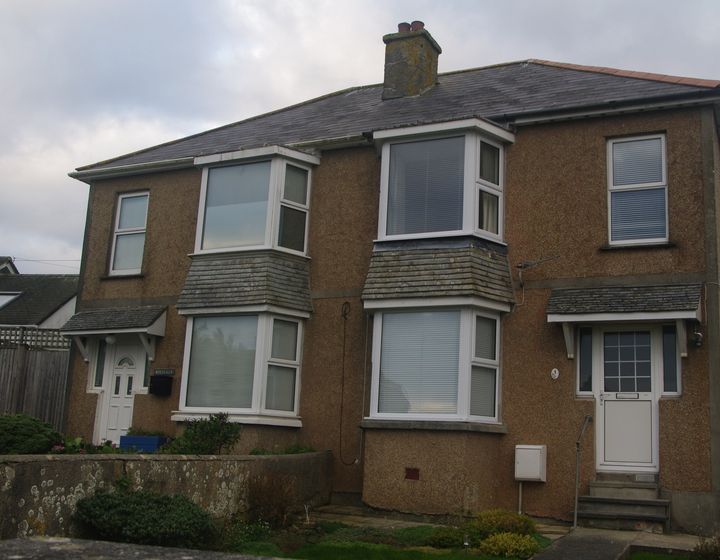 Semi-detached house, Tremar Road, St Ives by Mutney. CC BY-SA 4.0.
North Quay Windows
Sample household
14 Harbour Lane, Whitby
SAMPLE
- W1 Living room. 1200 mm × 1050 mm
- D1 Front door. 900 mm × 2100 mm
Priced lines, VAT, and total inc VAT for North Quay Windows| W1 Front casement, white uPVC, double glazed, 1200 × 1050 mm | £327.60 |
|---|
| Fit W1 Front casement | £95.00 |
|---|
| D1 Composite door, white uPVC, double glazed, 900 × 2100 mm | £900.00 |
|---|
| Fit D1 Composite door | £160.00 |
|---|
| Take out and dispose of existing units | £56.00 |
|---|
| Making good around frames | £90.00 |
|---|
| Net | £1,628.60 |
|---|
| VAT 20% | £325.72 |
|---|
| Total inc VAT | £1,954.32 |
|---|
How it works
Step 1
Photograph
Openings on site, square-on. Tape in the shot if you have one.
Step 2
Measure
Brick-to-brick, overall frame, or unit size. Type millimetres if the tape is not readable.
Step 3
Draft
Edit supply and fitting in pounds, then print the customer estimate. Nothing is sent.
Who it is for
Owner
Sets the company, the rate card, and who can join the firm.
Surveyor
Photographs each opening and types the millimetres from the tape.
Office
Turns the survey into the order and the customer paper.
Fitter
Sees the fit jobs assigned to them, and not the rest of the book.
The paperwork
The customer sheet carries the company name and logo you save. It lists each opening, the price, and the total inc VAT.
Print, PDF, WhatsApp, share, and email show the company name you set in Settings. The customer never sees a product name.
North Quay Windows
Indicative estimate
Sample household
14 Harbour Lane, Whitby
- W1 Front casement, white uPVC, double glazed, 1200 × 1050 mm
- D1 Composite door, white uPVC, double glazed, 900 × 2100 mm
Total inc VAT£1,954.32
Printed with your company name and logo.
One firm, three roles
Owner, office, and fitter share one company desk. The join code is given in person. It is never emailed.
Pricing
Plus is £14.99 a month, including VAT. It is not on sale yet.
Drafting on this device does not need a subscription. There is no card form and nothing is charged.
Pricing
